
AI creative
Writing AI image prompts for ad creative
Write precise AI image prompts for ads, protect product accuracy, plan placement crops and measure creative production efficiency without sacrificing review.
OppRise Editorial · Reviewed · 8 min read
The short answer
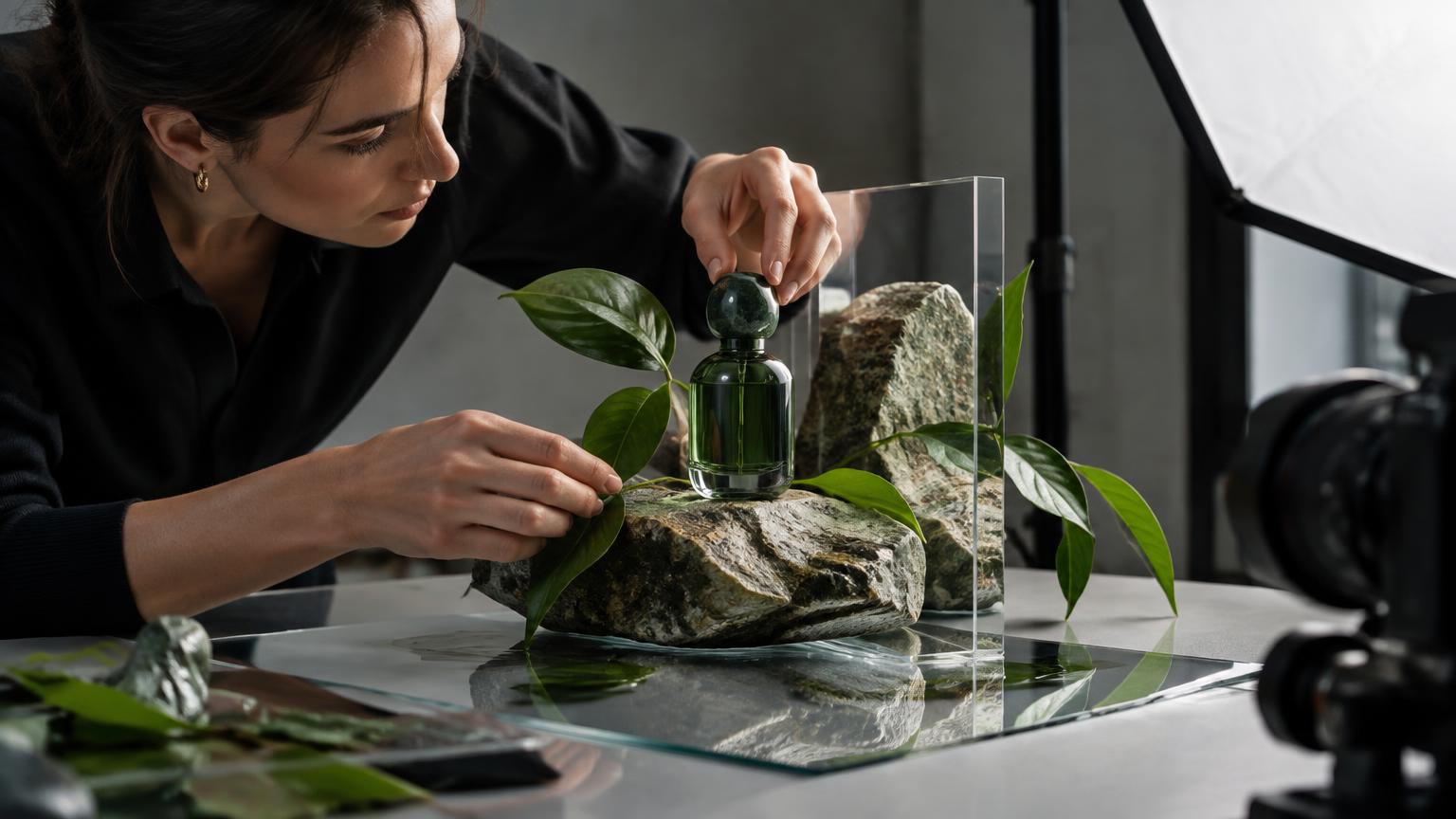
Write AI image prompts as precise ad briefs: define the visual message, verified subject, composition, placement, brand rules and exclusions. Use approved product imagery where exact detail matters, add essential text separately, and review every output before testing it.
What to take away
- Specify one visual message and protect the facts that affect purchase decisions.
- Design for each placement rather than relying on automatic crops.
- Treat provider controls as conditional, not universal capabilities.
- Measure time and cost per approved asset, not images generated.
1. Start with the advertising job, not a visual style
An image prompt is a production brief, not a collection of attractive adjectives. Before describing lighting, decide what the viewer must notice and understand. A product introduction needs recognisable packaging; a service advertisement may need a believable situation rather than a literal product shot.
Hypothetical example: a lunchbox retailer wants parents to recognise separate food compartments. ‘Premium lifestyle photography’ leaves the central task undefined. A stronger brief is: ‘Show the open lunchbox from a high three-quarter angle, with each compartment visible and simple food portions separated. Keep the lid beside the base, not covering it.’
Choose one visual message. Combining capacity, portability, durability and a discount in one scene can make every element compete.
- Specify the audience, intended placement and single visual message.
- Name the feature that must remain recognisable at mobile size.
- Separate what the image demonstrates from what the accompanying copy claims.
2. Build a prompt with a clear instruction hierarchy
Use this order: purpose, subject, action or setting, composition, lighting and materials, brand constraints, exclusions, then output requirements. Put essential facts before aesthetic preferences. Resolve contradictions such as ‘tight product crop’ and ‘generous space around every edge’.
Hypothetical prompt: ‘Create a background concept for an insulated bottle advertisement. An uncluttered commuter desk beside a window, photographed at desk height. Reserve the right half for an approved bottle cut-out and keep the upper left quiet for a headline. Soft morning side light, warm grey surfaces, restrained teal accent. No lettering, logos, extra bottles or people. Compose for a vertical 4:5 layout.’
This requests a scene, not a fabricated product. Record aspect ratio and resolution in the generator’s controls where available. Writing them in prose alone may not set the actual export dimensions.
- Must keep: subject facts, product visibility and copy space.
- May vary: prop arrangement, light softness and background texture.
- Must exclude: unsupported features, misleading context and unwanted text.
3. Protect product truth with references and compositing
Decide which elements may be generated and which must remain exact. Packaging, controls, ingredient panels, seams and accessories can communicate purchase-relevant facts. If those details cannot survive generation reliably, use an approved product photograph over a generated background.
Hypothetical example: for a two-burner barbecue, reject a compelling render that adds a third control knob or an included-looking side tray. A prompt saying ‘preserve the product exactly’ is a request, not verification. Compare the final image with the actual variant and supplied accessories.
Shopify’s product documentation covers product information, variants and organisation. Use the correct catalogue record as a factual reference, not evidence that an image generator will reproduce it accurately.
- Confirm the SKU, colour, proportions, label and included components.
- Check reflections and shadows after compositing so the product sits naturally.
- Avoid invented performance demonstrations, such as waterproof use without supporting evidence.
4. Prompt for each placement instead of trusting a crop
A square composition is not automatically a usable vertical advertisement. Cropping can remove the product handle, hide the service activity or leave no room for copy. Specify where the focal subject belongs and which areas should remain visually quiet.
Hypothetical example: a gardening service needs both a feed image and a tall story layout. For the feed, request the gardener and planting bed side by side. For the story, place the planting activity in the middle, with quiet foliage above and uncomplicated ground below. Review against the destination’s current interface overlays.
Generating separately offers more compositional control but creates extra review work and possible inconsistency. Extending an approved scene may preserve continuity where the provider supports it, but inspect invented edges. Never assume one universal safe zone works across placements.
- Preview each asset at its native ratio and realistic phone size.
- Check that overlays do not obscure faces, products or essential copy.
- Keep the offer understandable even if peripheral scenery is cropped.
5. Translate brand rules into visible choices
Replace ‘make it on-brand’ with observable instructions: matte rather than glossy surfaces, spacious rather than crowded framing, natural rather than theatrical light. Use a short hierarchy of rules instead of a long list of competing style references.
Hypothetical example: a restrained accounting brand might request ‘an orderly meeting table, neutral daylight, charcoal and muted green accents, eye-level framing, no celebratory cash imagery’. That communicates a visual direction without inventing client outcomes.
Treat generated lettering as a separate risk. For offers, disclaimers and logos, adding approved typography afterwards gives the team direct control over spelling and layout. Exact brand colours also need checking in the exported asset. A colour code in a prompt is not a colour-management guarantee.
- Use references you are authorised to upload and reuse.
- Keep the logo and essential claims as controlled design elements.
- Check the provider’s terms before uploading confidential brand materials.
6. Diagnose failures before spending another generation
Review the first batch against the brief, then name the defect precisely. ‘Looks wrong’ invites uncontrolled changes. ‘The foreground mug blocks the bottle label’ identifies a composition problem that can be addressed without changing the whole concept.
Hypothetical revision: ‘Remove the foreground mug. Keep the desk angle and soft side lighting. Leave the central product area unobstructed.’ If the provider supports masked editing, target the obstruction; otherwise, another full render may change previously acceptable details.
Negative prompts, reference strength, seeds and local editing depend on the provider and model. They are not universal controls, and a saved seed does not guarantee identical output after model changes. Record the model, supported settings, prompt version and selected asset.
- Fix factual errors before polishing atmosphere.
- Change one instruction group per diagnostic revision.
- Set a generation limit, then switch to manual design when correction becomes repetitive.
7. Review truth, visual integrity and accessibility separately
Separate factual approval from aesthetic approval. A beautiful hospitality image can still misrepresent the actual room, portion size or view. Hypothetically, a hotel courtyard concept must not imply a pool exists when it does not. Where the image depicts the real offer, prefer authentic imagery or tightly controlled edits.
Inspect hands, tools, shadows, reflections and background signage at full size. Then review at delivery size for legibility. Check usage permissions, recognisable people and any disclosure requirements relevant to the placement.
For web reuse, W3C advises choosing alternative text according to the image’s purpose. An informative product image needs a useful description; a purely decorative image may need empty alternative text. Do not rely on an image alone to communicate essential offer information.
- Product owner: verify what is being sold.
- Designer: inspect construction, crop and readable contrast.
- Campaign approver: check claims, rights and destination consistency.
8. Measure approved output, then test advertising performance
Fast generation is not the same as efficient production. Track briefing, generation supervision, correction, review and export time. Divide total hands-on minutes by approved usable assets; also record rejected outputs, credits spent and elapsed turnaround time.
Hypothetical calculation: a team previously spent 180 hands-on minutes producing six approved assets. A comparable AI-assisted batch takes 120 minutes for six. That is 30 versus 20 minutes per approved asset, before accounting for tool costs. It is a local observation, not a promised saving.
Keep production efficiency separate from ad effectiveness. To test background context, hold the offer, product treatment and copy steady where practical. Google Ads experiments provide a structured way to compare campaign changes. Choose an appropriate outcome metric and sufficient evidence before deciding. A better CPA in a later period alone does not establish that the new image caused it.
- Compare batches with similar complexity and approval standards.
- Include unsuccessful generations and rework in costs.
- Report creative test uncertainty rather than declaring an early winner.
9. Keep the brief, brand context and approval together
Its described workflow connects Brand Vault’s logos, colours, products and rules with RiseStudio’s draft creative. RiseStudio shows credit estimates before generation and keeps concepts as drafts until a team member approves them.
Use that workflow to preserve the approved brief and review criteria, not to replace judgement. Intended formats should be chosen before generation, then each output reviewed at its native ratio. Generation options depend on the underlying provider; do not assume exact product preservation, editing controls or identical output across models.
Explore RiseStudio, Brand Vault and the wider solution through the links below. If moving approved assets into campaigns, reconfirm provider access: TikTok Ads and LinkedIn remain approval pending, while Microsoft Advertising is planned.
Frequently asked questions
How long should an AI image prompt be?
Long enough to specify the subject, composition and constraints without contradictions. Prioritise essential instructions rather than adding decorative adjectives.
Can AI reproduce my product exactly?
Do not assume so. Check against approved references, or composite an authentic product photograph into a generated scene when fidelity matters.
Should I generate the headline inside the image?
Prefer adding essential headlines, prices and disclaimers afterwards so spelling, typography and layout remain directly controllable.
How do I know whether prompting saves time?
Compare total hands-on production time per approved asset across comparable batches, including rejected renders, corrections and review. Track tool costs separately.
Put this into practice with